120 lines to practise with
A six-sheet starting workbook and a matching worked solution with formulas, native tables and a linked region chart.
EINFACH MIT MATZE · ENGLISH PRACTICAL COURSE
Build skills. Check your results.
Build and check an office report from 120 order lines, use lookups and conditional totals, investigate dirty data, create a PivotTable and chart, and complete a separate 20-line July project.
Buy for €79Buy for US$79Buy for £79Written digital download · unconditional 60-day money-back guarantee
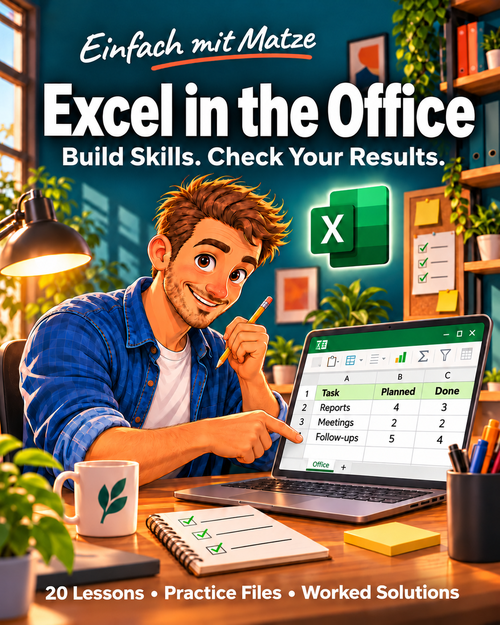
Office beginners who can open and save files and want to build dependable spreadsheet skills through a complete fictional order-reporting project.
Move from cell addresses and simple formulas to exact product lookups, conditional reports and a new-month project. Every lesson includes a practical task, a worked answer and a knowledge check.
20 written lessons with exercises and worked answers, coursebook (27 pages), workbook (23 pages) with 115 fillable fields, offline lessons, a local workshop with JSON export/import, 5 practice files and a final project.
A six-sheet starting workbook and a matching worked solution with formulas, native tables and a linked region chart.
Import 20 new order lines, build your own PivotTable and chart, then prove that a quantity change updates the results.
Ten pages of formula cards, import and handover templates, a debugging guide and a self-assessment rubric.
Written self-study. No videos, coaching, instructor assessment, certificate or software licence. You create the PivotTable and Power Query connection yourself; neither is preinstalled. Fictional EUR data and example rates are for practice and are not tax advice.
An invoice is due on the report cut-off date. Under the course rule, is its positive open balance already overdue?
No. The rule requires a positive open balance AND a due date before the cut-off. A due date equal to the cut-off is not overdue. Practise this boundary test in a copy of the workbook.
Suggested pace: 25–45 minutes per lesson plus your project. Try each exercise before reading the solution.
A computer with Microsoft Excel Desktop for Windows and your own licence. Microsoft 365 or Excel 2021/2024 recommended for the complete path. XLOOKUP is not available in Excel 2016/2019; the supplied solution uses INDEX/MATCH. Mac and web menus and import features differ. Written self-study: you create the PivotTable and Power Query import yourself; neither is preinstalled. English instructions and formulas; regional Excel settings may use different function names or argument separators. Fictional examples remain in EUR; the checkout currency does not convert exercise amounts.
Yes, if you can open and save files. The path starts with cell addresses, types and simple calculations, then builds up to reporting and imports.
Instructions, headers and labels are English. The CSVs intentionally retain German decimal/date conventions for a controlled import exercise; all example amounts remain EUR.
No. You build a native PivotTable yourself and compare its totals with the supplied controls. The worked solution includes formulas, tables and a chart.
Extract the complete ZIP and read START.txt. Open index.html or Coursebook.pdf. Use a PDF reader with form support for Workbook.pdf. Open Workshop.html and export notes before closing; no autosave or cloud account is provided. Follow the practice-file instructions and check the supplied controls in your software.
EUR 79 / USD 79 / GBP 79 one-time. No subscription. unconditional 60-day money-back guarantee, including US, UK and Ireland purchases. Applicable additional local taxes are shown at checkout. Request a return through your Digistore24 order confirmation.
EUR 79 / USD 79 / GBP 79 one-time. No subscription. unconditional 60-day money-back guarantee, including US, UK and Ireland purchases. Applicable additional local taxes are shown at checkout.
Buy for €79Buy for US$79Buy for £79Payment and delivery through Digistore24. Support: info@einfachhaltbar.de.
Request a full refund within 60 days of your first payment through the support link in your Digistore24 order confirmation or email info@einfachhaltbar.de with your order number. No reason or proof of results is required. Downloading or using the materials does not remove this guarantee. Your statutory rights remain unaffected.